
Using Qwen3.5 on Fedora Workstation, ASUS ROG Flow Edition
Fedora works great on the newest Strix Halo machines. Combined with Lemonade Server, users can very easily get set up using models like Qwen3.5 using CPU, GPU, and NPU backends.

Fedora works great on the newest Strix Halo machines. Combined with Lemonade Server, users can very easily get set up using models like Qwen3.5 using CPU, GPU, and NPU backends.
A Quick Note About Fedora
Fedora isn't know for having the latest kernel or newest libraries. When working on new hardware like Strix Halo there's often some extra steps you will have to do. In our case we need to get a new amdxdna driver and xrt libraries.
Our Target Host
For this example, I've got a Strix Halo in the form of an ASUS ROG Flow Z13. This model comes in several variants and I'm using the 32G edition. The same guide can work on other Strix Halo devices from Minisforum to GMKtec.
Getting Started with NPU Drivers
The very first thing you'll need to do is increase limits. This is required by FastFlowLM, the backend for NPU workloads.
sudo tee /etc/security/limits.d/fastflowlm.conf <<EOF
* soft    memlock    unlimited
* hard    memlock    unlimited
EOF
You'll want to clone down the xdna-driver repository
git clone --recursive https://github.com/amd/xdna-driver.git
cd xdna-driver
The repository has a handy script to help install of the build dependencies. For whatever odd reason it doesn't include tcsh which will be needed later.
sudo ./xrt/src/runtime_src/tools/scripts/xrtdeps.sh
sudo dnf install tcsh
You should be able to start building at this point.
cd xrt/build
./build.sh -npu -opt -noctest -j 12
cd ../../build
./build.sh -release -j 12
The result of all of that building should be a hand full of RPMs. A quick one-liner to get them installed should result in a few warnings about needing to update keys. Don't worry about those errors yet.
find . -iname "*.rpm" -print0 | xargs -0 sudo rpm -UvhThe last thing you'll need to do is import the key for your new DKMS module.
sudo mokutil --import /var/lib/dkms/mok.pubOn your next reboot you should be greeted with a prompt to import the key above. Follow the directions, use the password you used previously, and on your next boot you should be able to see the xdna driver load and you should have a /dev/accel/accel0
If that device is missing you can try to look for any errors via dmesg or journalctl -k. You can try to modprobe amdxdna and check for errors. If you get a signing error, you'll have to do the mokutil step above and enroll the key.
Running Lemonade Server as a Quadlet
The latest version of Lemonade Server has a Dockerfile right in the root of Lemonade Server repository on Github. The GitHub releases for Lemonade Server also feature an rpm, but I like using the server as a quadlet.
You can also download the Lemonade Server companion application as an AppImage from the releases page.
I like to build this image with a quick podman build . -t lemonade-server:10.0.0
With the image built, you can register it as a quadlet. Since we're using Fedora, you can use tools like Podman Desktop with these file to bring up a whole stack of tools from the Lemonade Server itself to a memory server (more on that later) and other infrastructure.
This is what mine looks like.
$ cat /etc/containers/systemd/lemonade-server.container
[Unit]
Description=Lemonade Server
After=network-online.target

[Container]
ContainerName=lemonade-server
Image=localhost/lemonade-server:10.0.0
Exec=./lemonade-server serve --host 0.0.0.0 --port 8000

AddDevice=/dev/kfd
AddDevice=/dev/dri
AddDevice=/dev/accel/accel0

GroupAdd=video
AddCapability=CAP_SYS_PTRACE
SecurityLabelDisable=true
SeccompProfile=unconfined
Ulimit=memlock=-1:-1

Volume=/opt/lemonade-server/huggingface-cache:/root/.cache/huggingface:Z
Volume=/opt/lemonade-server/lemonade-cache:/root/.cache/lemonade:Z
Volume=/opt/lemonade-server/lemonade-llama:/opt/lemonade/llama:Z
Volume=/opt/lemonade-server/flm-data:/root/.config/flm:Z
PublishPort=8000:8000

[Service]
Restart=always

[Install]
WantedBy=multi-user.target default.target
I use a few different volumes to cache models and expose the Lemonade Server configuration.
You'll want to adjust for how you want to run lemonade server.
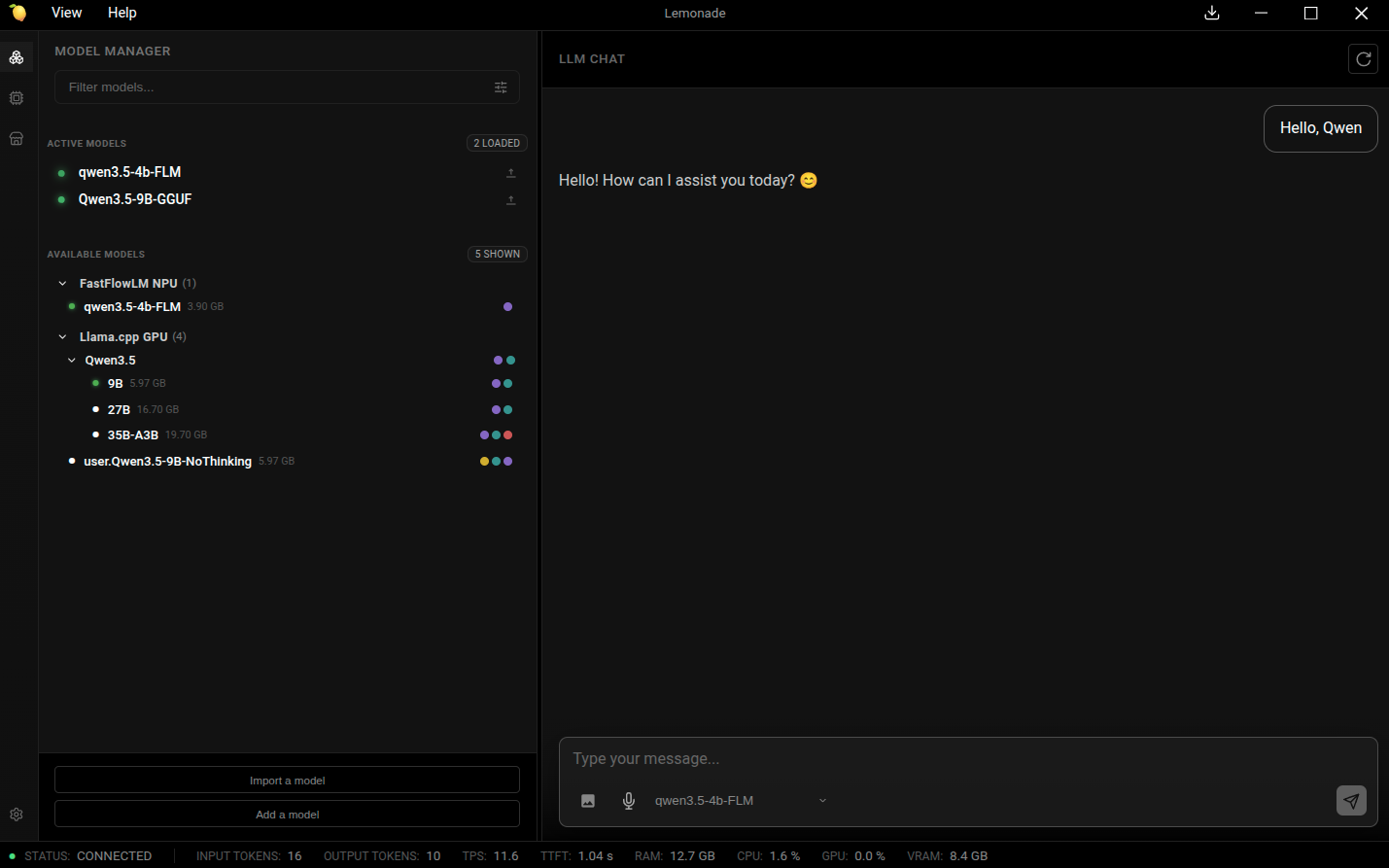
With everything installed you can exec into the container (visible through podman ps) or use the Lemonade Server companion application.
Qwen 3.5 Tips
Out of the box you now have the ability to use a very fast multimodal reasoning model.
Especially for smaller variants of Qwen3.5, I like to disable thinking. Here is what I use based on the Unsloth tips and tricks shared by the Lemonade Server team.
--temp 1.0 --top-p 0.95 --top-k 20 --min-p 0.00 --no-context-shift --keep 0 -b 2048 -ub 1024 --chat-template-kwargs '{"enable_thinking":false}'
Add this directly to the llama.cpp arguments on the model settings.